One bill for food and games
A family orders burgers and two rounds of games — the cashier rings it up once, they pay once. Each stall still gets its own share, token and GST split.
Cafes · Restaurants · Food courts · Drive-ins · Game zones
Bill every stall and game from one counter. Track every rupee live. One GST bill for food and activities, a token for each stall, no stalled queue when the Wi-Fi drops — and your counter’s numbers on your phone as they happen.
Built in India by people who’ve run food, bar and activity floors themselves.
Restaurant billing apps don’t understand a game counter. DinePlay was built at a cafe with a games stall, so these work today.
A family orders burgers and two rounds of games — the cashier rings it up once, they pay once. Each stall still gets its own share, token and GST split.
“Burger + 2 games for ₹249”: set the combo once and the cashier applies it at the counter, with the money split correctly between the cafe and the games stall.
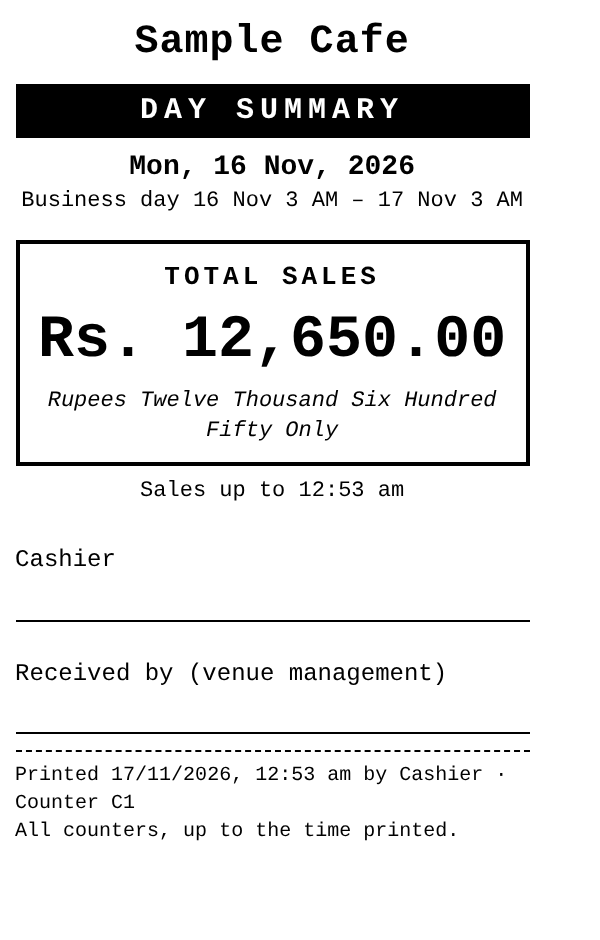
Your games counter can print under its own brand. At closing every stall gets its own total slip — no adding up registers.
The cashier counts the drawer when they sign off. You see what the bills say, what was counted and the difference — per cashier, per shift.
Cancelled bills need a reason and are stamped with who did it. Nothing disappears quietly from your numbers.
Trampoline 30 min, VR 10 min: start the timer when the guest goes in, see who is over time, and bill the extra minutes in one tap. Pay first or pay when leaving.
Packages and passes (“10 visits”) linked to a phone number, and birthday party bookings with deposits.
All of this works today, at a live venue. New features ship every month.
Cash, UPI and card, best sellers one tap away, bill and stall tokens printed in one go. Item photos on the buttons help new staff find things fast.
Bills save on the counter PC first and sync the moment the connection returns. No waiting at the counter, no missing bills at closing.
Sales by stall, game and hour, every bill, UPI vs cash in the drawer — from anywhere. Installs on your phone like an app.
Cashiers can only give pre-approved offers. Manager discounts have limits, voids need a reason and a name, and the drawer is counted at every shift close.
Link milk, cups or coffee beans to the dishes that use them. Every sale uses them up, purchases add, and you’re told before you run out.
Open a table, send rounds to the kitchen, move, merge and split. Waiters order from their phones; guests can scan the table QR to order and pay by UPI.
One QR for the venue: guests order and pay online to your own account. The bill and kitchen ticket print by themselves, and the guest collects with an order number.
Bill delivery-app orders at the counter with their own prices and order ID. See each app’s sales and estimated payout next to your counter sales.
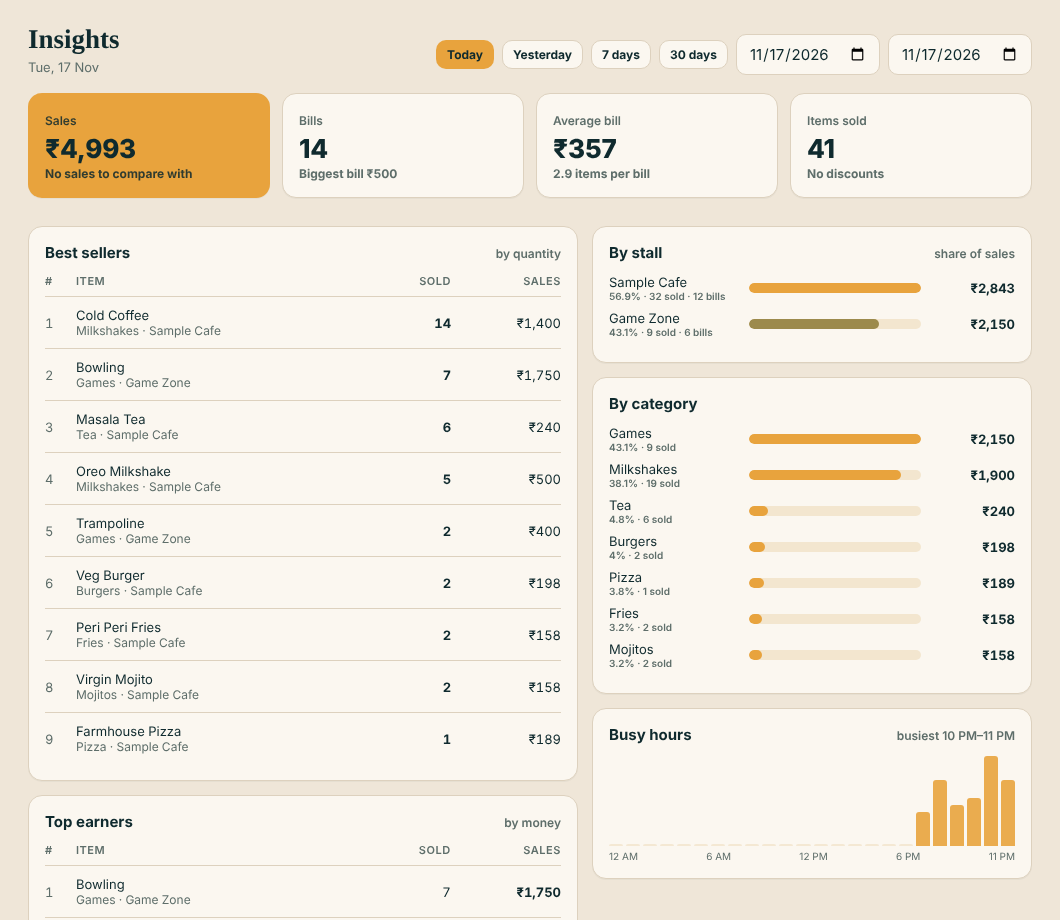
Best sellers, items that didn’t sell, busy hours, sales by category and stall — today, this week or any range.
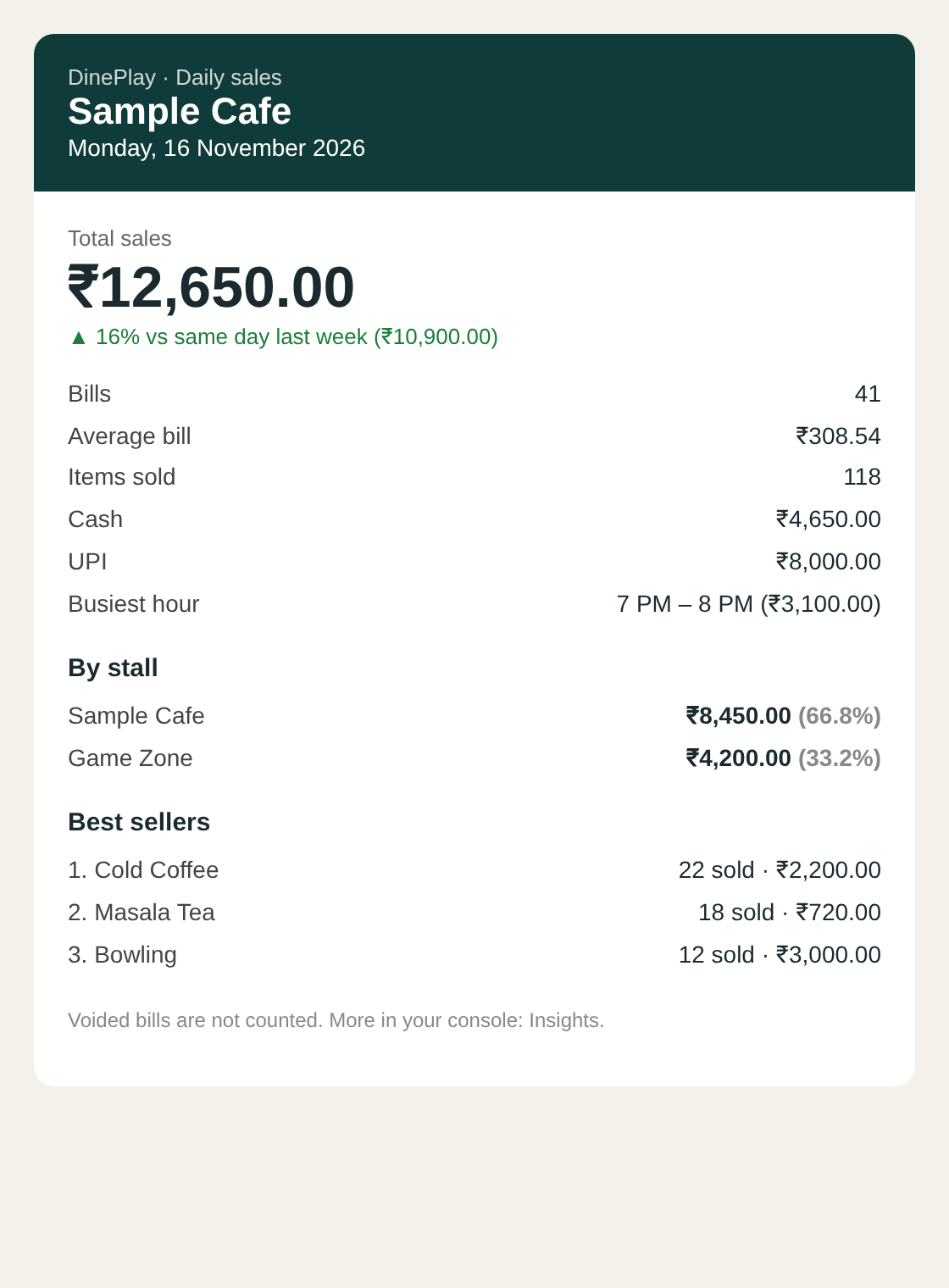
One tap prints each stall’s total for venue management, and the day’s numbers reach your inbox at 2 AM. Open till 1 AM? Set your business day to start at 3 AM.
Ask any time: “Is my counter online?”, “What’s running low?”, “How do I add a combo?” It checks your setup and tells you exactly where to click.
Runs on any Windows PC or Android tablet with your thermal printer. Only approved PCs can bill, every change is logged, everything is backed up every night.
Real screens from DinePlay, with sample numbers.
Every plan includes one billing counter. Add more counters any time. 14-day free trial with every feature on, GST extra, pay yearly and get two months free.
₹499/month
or ₹4,990 a year · extra counter ₹299/month
Everything you need to bill
Most popular
₹999/month
or ₹9,990 a year · extra counter ₹399/month
Run the whole venue, not just the counter
₹1,999/month
or ₹19,990 a year · extra counter ₹399/month
Many stalls under one roof
Example: a restaurant with two billing counters on Pro pays ₹999 + ₹399 = ₹1,398 a month. Hardware is yours: any Windows PC and an 80 mm or 58 mm thermal printer. Coming next: WhatsApp receipts and reports, loyalty points, play cards and slot bookings.
Nothing changes at the counter. Bills save on the PC or tablet and print as usual, then sync to the cloud as soon as the internet is back.
Most 80 mm and 58 mm thermal receipt printers work — over USB, network cable or Bluetooth. Not sure? Tell us the model in the form.
No. Sign up, paste your menu, install the billing app and connect it with a code — the console shows you each step, and our help pages and PDF manual explain every setting. If you get stuck, write to support@dineplaydesk.com.
No. DinePlay runs on any Windows PC or Android tablet you already have.
Yes. Each stall or activity gets its own token, its own sales total and its own line in the day summary.
Yes. Switch GST on or off for your venue, with rates per stall and per item, and CGST/SGST split on the bill.
Only you and the people you allow. Cashiers see only their own shift. Venue management gets only the totals you choose to send.
No. Pay monthly or yearly and stop any time. Your data can be downloaded for Excel whenever you like.
Create your account and set up at your own pace. No card needed, no call to book.